Shop History
The Shop History system allows players and staff to review past transactions in a visual GUI.
It provides full transaction transparency, including:
- Purchaser
- Item
- Quantity
- Price
- Taxes
- Timestamp
- Shop location
- Shop summary statistics
The History interface is part of the GUI system and can be customized inside: gui.yml
Reference:
Localization is handled through: messages.yml
Opening Shop History
From the Control Panel
- Right-click your shop.
- Open the Control Panel.
- Click the History button.
This opens the transaction history for that specific shop.
Using Command
You can also query history using: /quickshop history <sub-command>
Available sub-commands:
owned— View history of shops you own.accessible— View shops you have permission to access.global— View all shops on the server (requires admin permission).
This is useful for staff or large shop owners.
History GUI Overview
The History GUI displays transactions as entries inside a paginated inventory menu.
Each entry represents one completed transaction.
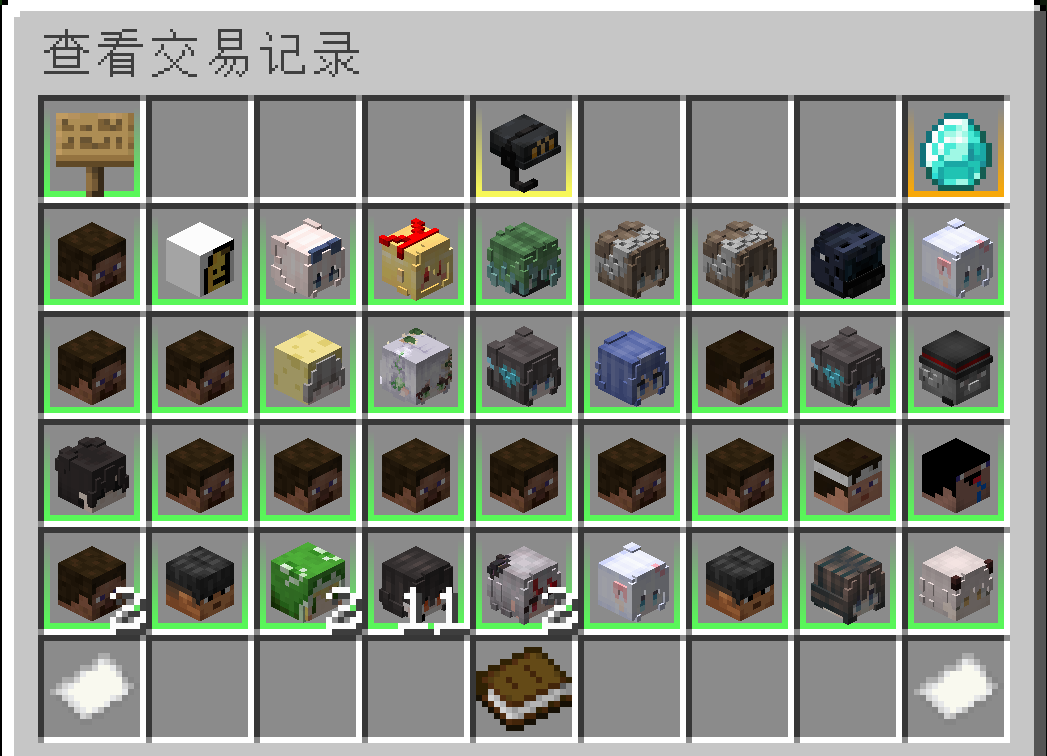
Transaction Details
Hovering over an entry displays:
- Transaction time
- Purchaser (player name)
- Item and amount
- Total price
- Taxes applied
- Shop coordinates (if viewing multiple shops)
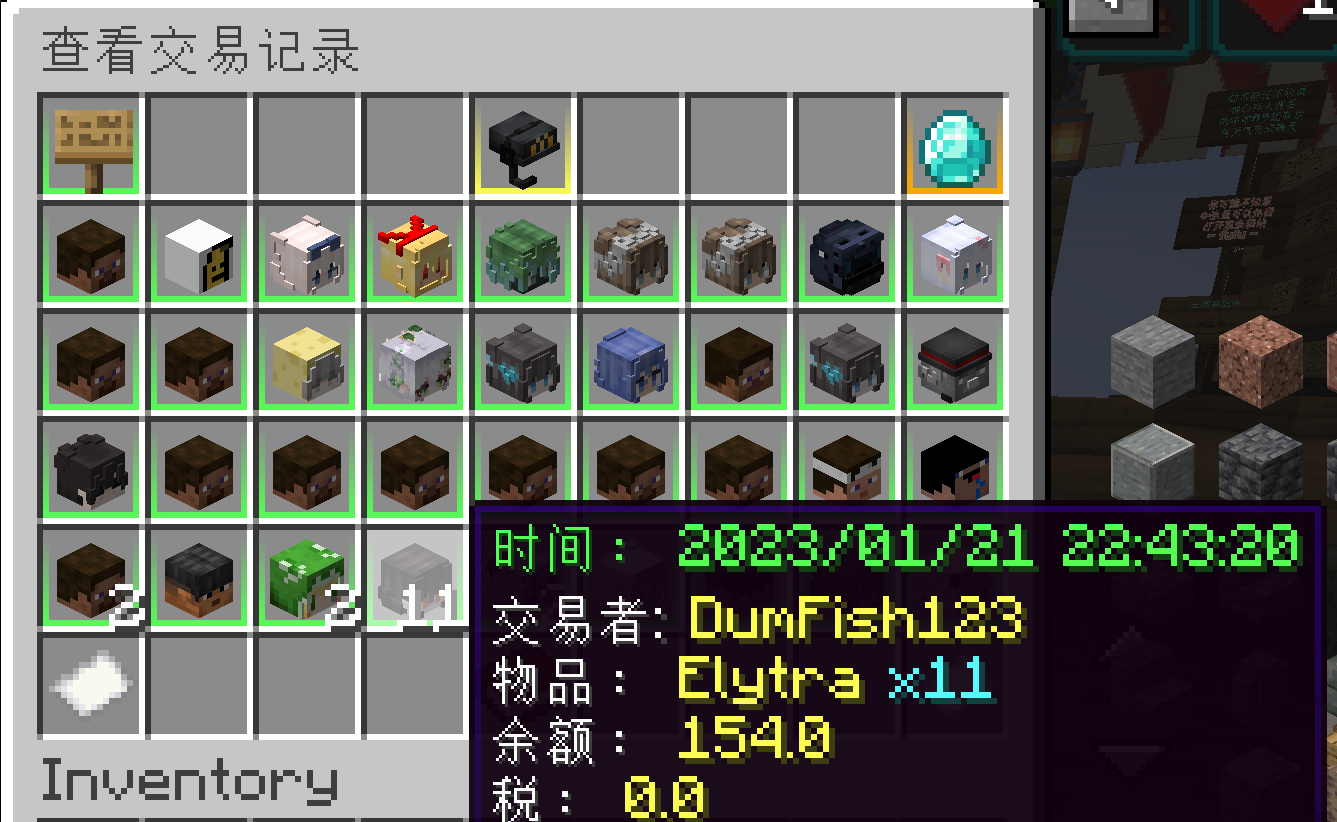
If querying multiple shops:
- The icon may represent the shop item instead of the player head.
- Location data will be shown in the hover text.
Shop Summary
In the top-left corner of the History GUI, hovering the summary item displays:
- Total purchases
- Unique purchasers
- Total turnover
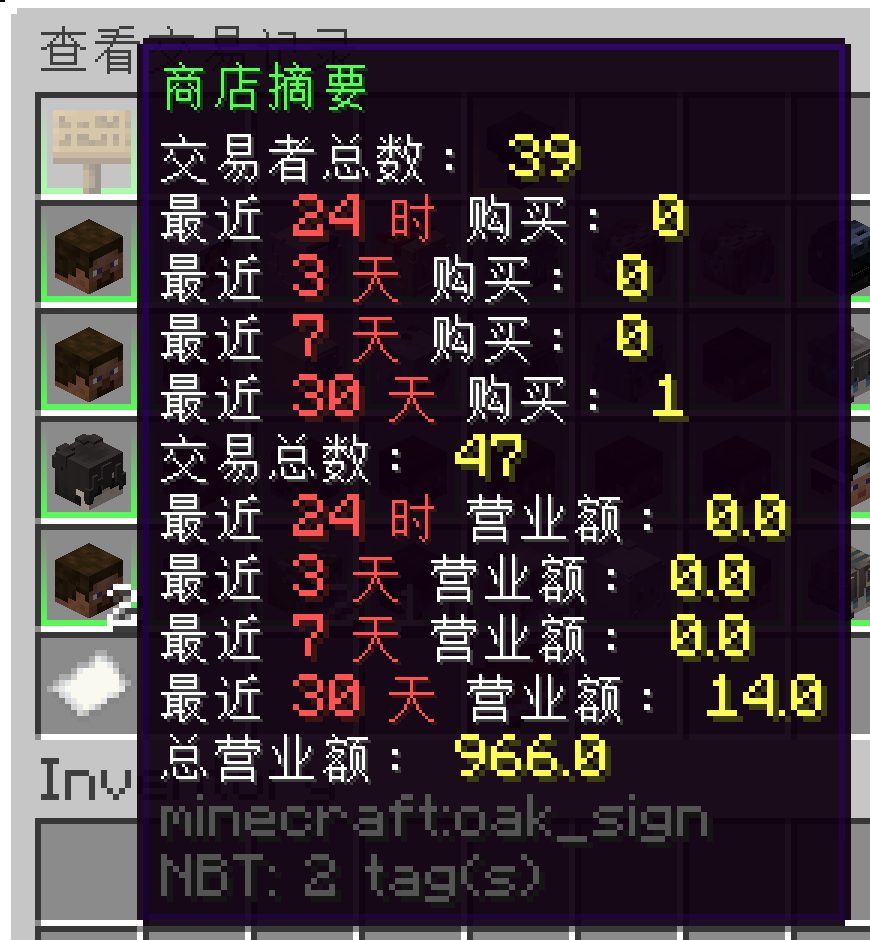
This gives a quick overview of shop performance.
Most Valuable Customers
In the top-right corner, hovering the diamond icon displays:
- Top 5 highest-spending customers
- Ranked by total transaction value
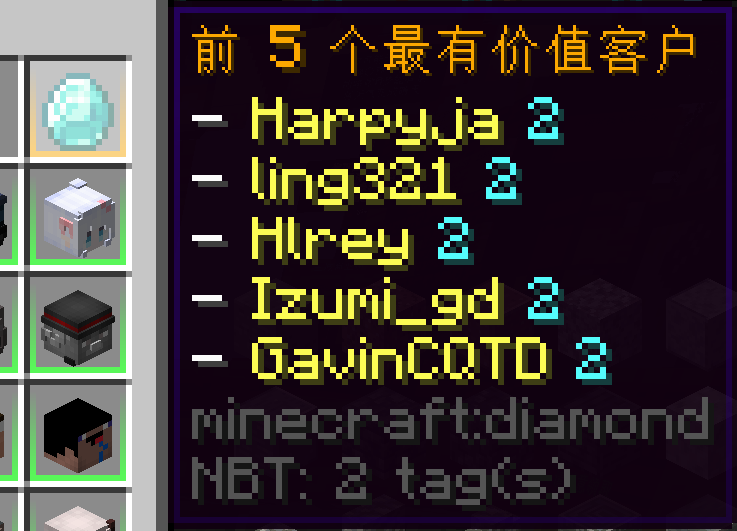
This is useful for:
- Reward systems
- VIP tracking
- Player analytics
Permissions
Access depends on context:
- Shop owners → Can view their own shop history.
- Staff members → Can view history if granted permission.
- Admins → Can access global history via command.
If players cannot open history, verify:
- QuickShop permissions
- Per-shop access permissions
- Staff configuration
GUI Customization
You can modify:
- Menu title
- Slot layout
- Navigation buttons
- Summary item
- Transaction entry formatting
- Pagination
All layout settings are controlled in: gui.yml
Reference:
Text and button names support the lang: prefix for localization:
name: "lang:history.title"
Which pulls from: messages.yml
Best Practices
- Keep history enabled for economic transparency.
- Allow staff to access
globalhistory for moderation. - Use summary metrics to monitor inactive or suspicious shops.
- Combine with the new Tax System for full transaction tracking.
Summary
The Shop History system provides:
- Complete transaction auditing
- Per-shop or multi-shop querying
- GUI-based browsing
- Summary analytics
- Most valuable customer tracking
- Full customization support
It is strongly recommended for all economy-focused servers.