Installation
This page will walk you through the process of installing QuickShop-Hikari on your PaperMC server.
Requirements
- A Paper-based Minecraft server (1.20 or higher, Java 21)
- Vault to bridge QuickShop and your economy plugin.
- For virtual item displays and per-player localization, you need a supported protocol library:
- Any Vault-compatible economy plugin, such as XConomy. EssentialsX is also supported.
- A permission management plugin like LuckPerms.
This guide assumes that you are using the latest versions of QuickShop-Hikari, ProtocolLib, XConomy, Vault, and LuckPerms on Windows 11. The process is largely the same on Linux.
Installing dependencies
Before installing QuickShop-Hikari, you should make sure that you have all dependencies installed, including Vault, ProtocolLib or PacketEvents, XConomy (or EssentialsX if you want) and LuckPerms!
Download the plugins and place them in the plugins folder.
Configuring the Display Protocol
If both ProtocolLib and PacketEvents are installed and you want to use PacketEvents for display items, set shop.display-protocol: 'packetevents' in config.yml.
Installing QuickShop-Hikari
Download the latest version of QuickShop-Hikari from Modrinth. If several files have the Compat- prefix, ignore them during this step.
The only file you need to download should have a Primary tag like this in the image below:

Drop the QuickShop jar into your plugins folder, start the server, then execute qs in the console. If you properly installed the plugin, a command help page will pop-up like this in the image below:
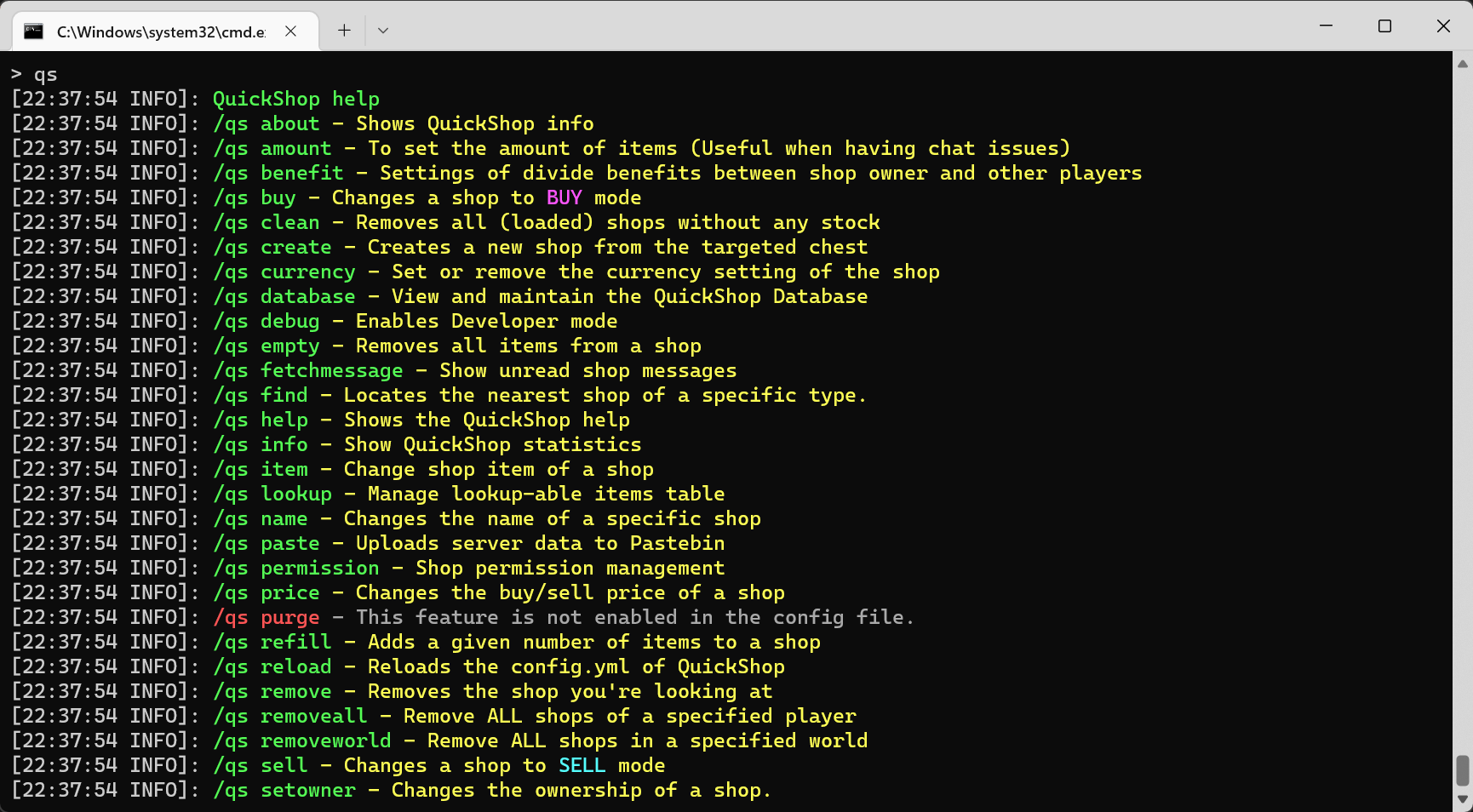
If you see any errors in the output, you can read the FAQ section or join our Discord support server and ask them in the #qsh-support channel.
Configure QuickShop to allow players to use it
By default, players are unable to create shops.
To allow players to create and own shops, you must grant the necessary permissions to them.
Fortunately, for most of the users, all you need to do is to run a simple command:
/lp group default permission set quickshop.player true
and you're done! Players are now able to create and use shops, they will also have access to other features.
For advanced permission setup, you can check here.
All set! You are good to go!
Now QuickShop-Hikari is running on your server, for more settings, check the navigation panel on the left and see different sections.